Different Shapes
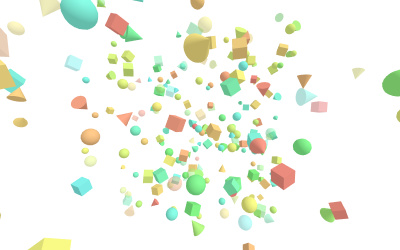
make different shapes
Arrow
You need points, geometry, material, mesh to make an arrow.
const points = [];
points.push(new THREE.Vector3(-10, 0, 0));
points.push(new THREE.Vector3(0, 10, 0));
points.push(new THREE.Vector3(10, 0, 0));

const geometry = new THREE.BufferGeometry().setFromPoints(points);
const material = new THREE.LineBasicMaterial({ color: 0x0000ff });
const line = new THREE.Line(geometry, material);

scene.add(line);
Star
A solid star is useful for textures/extrusions. The way I'm going to show you uses THREE.Shape:
const shape = new THREE.Shape();
const outerRadius = 10;
const innerRadius = 4;
const spikes = 5;

for (let i = 0; i  spikes * 2; i++) {
    const radius = i % 2 === 0 ? outerRadius : innerRadius;
    const angle = (i / (spikes * 2)) * Math.PI * 2 - Math.PI / 2;
    const x = Math.cos(angle) * radius;
    const y = Math.sin(angle) * radius;
    if (i === 0) {
        shape.moveTo(x, y);
    } else {
        shape.lineTo(x, y);
    }
}
shape.closePath();

const geometry = new THREE.ShapeGeometry(shape);
const material = new THREE.MeshBasicMaterial({ color: 0x0000ff, side: THREE.DoubleSide });
const star = new THREE.Mesh(geometry, material);

scene.add(star);
Bottle
// profile of bottle
const points = [];
const height = 20;
const radius = 8;
const neckHeight = 6;
const neckRadius = 2;

// base
points.push(new THREE.Vector2(0, 0));
points.push(new THREE.Vector2(radius * 0.8, 0));
points.push(new THREE.Vector2(radius, 1));

// body
points.push(new THREE.Vector2(radius, height - neckHeight - 2));
points.push(new THREE.Vector2(radius * 0.9, height - neckHeight - 1));

// neck
points.push(new THREE.Vector2(neckRadius + 1, height - neckHeight));
points.push(new THREE.Vector2(neckRadius, height - neckHeight + 1));

// top
points.push(new THREE.Vector2(neckRadius, height));
points.push(new THREE.Vector2(0, height));

// geometry by revolving the profile
const geometry = new THREE.LatheGeometry(points, 32); // 32 segments
const material = new THREE.MeshStandardMaterial({
    color: 0x4488aa,
    side: THREE.DoubleSide,
});
const bottle = new THREE.Mesh(geometry, material);

scene.add(bottle);
Triangle
const shape = new THREE.Shape();
shape.moveTo(-10, -10);
shape.lineTo(10, -10);
shape.lineTo(0, 10);
shape.closePath();

const geometry = new THREE.ShapeGeometry(shape);
const material = new THREE.MeshBasicMaterial({
    color: 0x0000ff,
    side: THREE.DoubleSide,
});
const triangle = new THREE.Mesh(geometry, material);
scene.add(triangle);